I absolutely love using Smart Tech around my Home, as with me being Visually Impaired, it makes my life a lot easier. Unfortunately though, there aren’t that many Smart Home Devices specifically designed for your Kitchen, and the ones that are are usually quite hard to find or ridiculously expensive. That’s why when the guys over at WeeKett very kindly asked me if I would like to try one of their Smart Wi-Fi Kettles, I of course said yes. Well i’ve been using it for a little while now, and I thought that I would tell you what I thought of it.
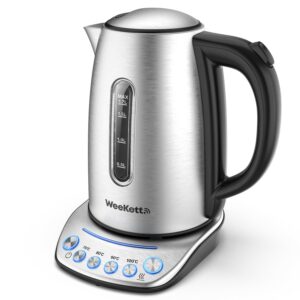
A picture of the WeeKett Smart Wi-Fi Kettle.
Here’s what WeeKett say about their Smart Wi-Fi Kettle.
The Smart Kettle, ready when you are.
Switch on your Kettle remotely.
With a Mobile App, Amazon Alexa or Google Home.
For people with Mobility issues.
Switch on the Kettle from anywhere in your Home, only go to the Kitchen when the Kettle has boiled.
For new Parents.
1 Tab Baby Milk Program, heat Water to 100ºC, cool naturally to 70ºC and keep warm for up to an hour.
For Tea lovers.
Temperature matters, brew the perfect Cuppa by choosing the right temperature between 40ºC and 100ºC.
For the time-conscious.
Schedule the Kettle to boil at the time that you want.
Extra safe.
Forgot to refill the Kettle? The carefully designed Dry-Boiling Protection Program will shut off the Kettle automatically and disconnect it from the Network. You’ll also receive an App Alert.
It’s set up.
I really liked how easy it was to set up, as once I had plugged it in and had downloaded the SmartLife App, had created an account, had followed all of the onscreen instructions including making sure that the Wi-Fi Connection Light was blinking rapidly and entering my Wi-Fi Password, it had connected itself to my Wi-Fi Network and was ready to use.
I also really liked how easy it was to set up with Amazon Alexa, as once I had enabled the SmartLife Skill, had signed in using my SmartLife Credentials and had waited for a few seconds for it to find the Kettle on my Wi-Fi Network, it was all set up and ready to use.
The only thing that I didn’t really like about it’s set up was that I needed Sighted Assistance when it came to making sure that the Wi-Fi Connection Light was rapidly blinking, which given that it bleeps every time you turn it on or off, could have quite easily been replaced with some kind of noise to make it completely accessible.
What it did when I used it.
I really liked what this did when I used it, as once I had chosen my preferred temperature between 70ºC and 100ºC and had pressed the on button, it made a little bleeping noise before it started to boil, and then after about 90 seconds it made another bleeping noise to signify that it had finished boiling.
I also really liked that once I had asked Amazon Alexa to turn on my Kettle, that it made a little bleeping noise before it started to boil, and then after about 90 seconds of it boiling it made another little bleeping noise to signify that it had finished boiling.
I also really liked that I could choose between a multitude of different temperatures, including 70ºC, 80ºC, 90ºC and 100ºC as it meant that I could brew the perfect Cup of Tea, whether that be a Cup of Black Tea, some kind of Fruit Infusion, a Cup of Green Tea, a Cup of Oolong Tea, or even a Cup of White Tea.
Another thing that I really liked about this was it’s Keep Warm Function, as it meant that I could boil the Kettle when I woke up in the morning and that it would still be warm for when everyone else in the House woke up too.
The only thing that I didn’t really like about this, was that I unfortunately couldn’t ask Amazon Alexa to boil my Kettle to a specific temperature for me. This meant that I had to instead first ask it to turn my Kettle on, and then whilst it was boiling ask it to change the temperature to my desired temperature.
It’s design.
I really liked it’s design, as the Kettle itself was made out of a very soft and smooth Plastic that felt extremely light-weight even when it was completely full of Water, and the Base Unit was made out of a very smooth and shiny Metallic Plastic that looked beautiful sat on my Kitchen Cabinet. I did however think that the Temperature Buttons could have done with having some kind of engraved lettering or icon on them though, as unless I remembered where each Temperature Button was or get Amazon Alexa to change it for me, I had no idea which one I was pressing.
My overall thoughts.
Overall I would have to rate the WeeKett Smart Wi-Fi Kettle a nine out of ten. I absolutely loved it’s incredibly easy set up, what it did when I used it, and it’s design, but I just wish that it had emitted some kind of noise rather than a blinking light whilst I was setting it up and that you could also ask Amazon Alexa to start boiling it at a specific temperature.
If you would like to check out the WeeKett Smart Wi-Fi Kettle for yourselves, then you can find it online here.
I was very kindly sent a WeeKett Smart Wi-Fi Kettle to review, but all thoughts, opinions, and general ramblings are my own.
Have you checked out the WeeKett Smart Wi-Fi Kettle yet? What did you think of it? What’s some of the things that you would like to add to your Smart Home Setup? Please let me know down below.
This Post may contain Affiliate Links, but Posts are not Affiliate driven.
Luke x
Recently bought a Weekett and have used it for about week. Looks good with a reasonable size footprint, ok for most kitchen worktops. Connecting to WiFi and the app was not without some issues but that may well be down to me. Don’t forget to change your router to 2.4, like most other WiFi household appliances it will not work with 5G. I have successfully linked it with Amazon Alexa on both iPhone and iPad.
The only thing I don’t like is the large blue standby indicator always being on when WiFi connected. Otherwise, I am very happy with my purchase.




Sounds impressive!
Recently bought a Weekett and have used it for about week. Looks good with a reasonable size footprint, ok for most kitchen worktops. Connecting to WiFi and the app was not without some issues but that may well be down to me. Don’t forget to change your router to 2.4, like most other WiFi household appliances it will not work with 5G. I have successfully linked it with Amazon Alexa on both iPhone and iPad.
The only thing I don’t like is the large blue standby indicator always being on when WiFi connected. Otherwise, I am very happy with my purchase.
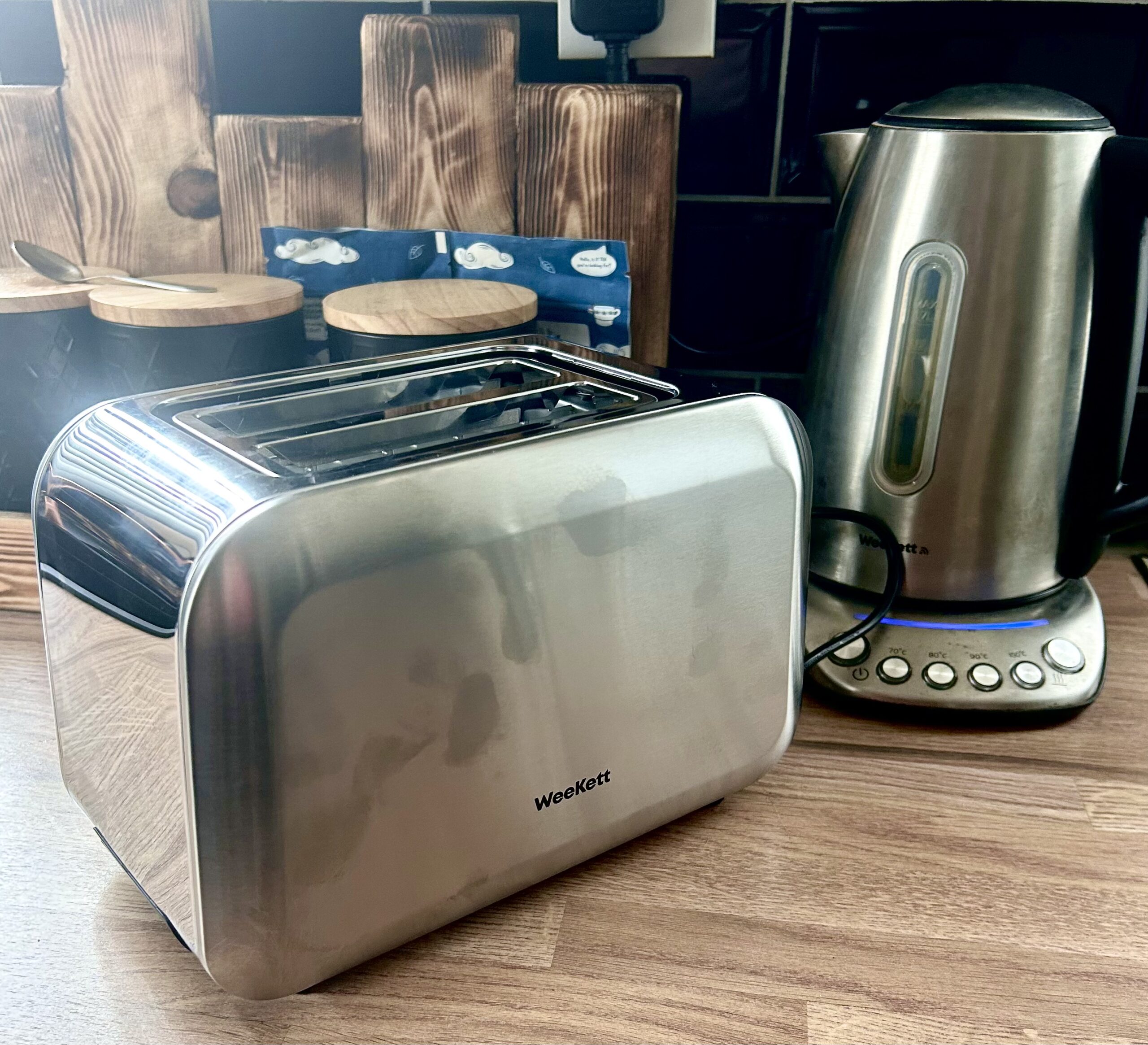
Pingback: Pop Goes The Toaster | WeeKett Matching 2 Slices Toaster | Gifted - Luke Sam Sowden